 1 / 3
1 / 3
Project Overview
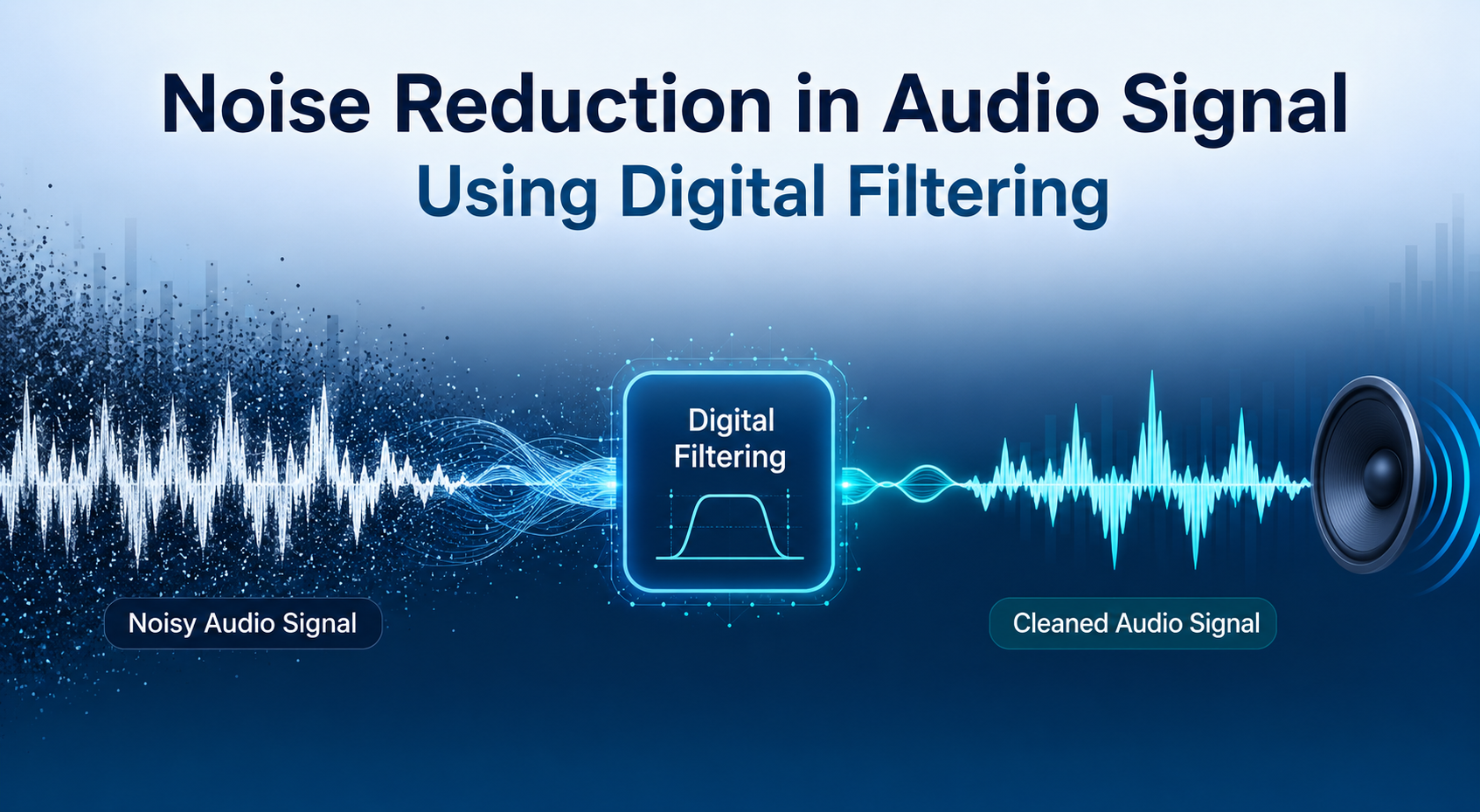
Noise Reduction in Audio Signal Using Digital Filtering
Modern audio recordings often suffer from degradation due to unwanted electronic interference. The objective of this project is to enhance a noisy audio signal in which the desired voice signal is contaminated by high-frequency electronic noise.
Reduce a 6 kHz interference tone using a digital notch filter while maintaining the integrity of the speech spectrum.
Theory and Background
- Voice Frequency Range: Typical speech signals occupy the 300 Hz – 3400 Hz range. Because most important speech information exists below 4 kHz, higher frequencies can be filtered without significantly affecting clarity.
- Interference Noise: The noise presents as a high-frequency tone around 6000 Hz, commonly caused by electronic interference, hardware coupling, or power supply noise.
- Notch Filtering: A Notch Filter (Band-Stop Filter) removes a very narrow frequency band while allowing the remaining frequencies to pass through with minimal distortion.
Filter Parameters
| Parameter | Value / Description |
|---|---|
| Noise Frequency | 6000 Hz |
| Quality Factor (Q) | 60 (Controls the sharpness of the notch) |
| Filter Implementation | IIR Notch Filter (`iirnotch`) |
| Phase Processing | Zero-phase filtering (`filtfilt`) to avoid distortion |
Results & Conclusion
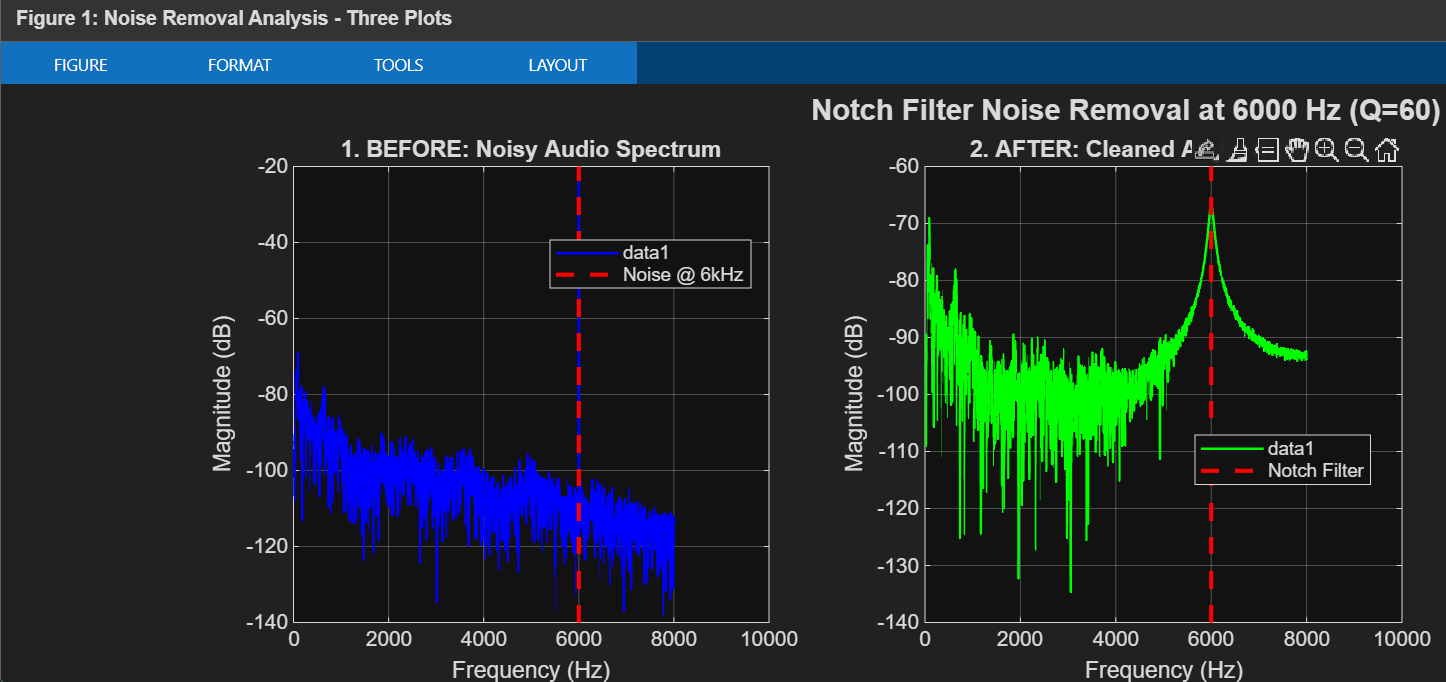
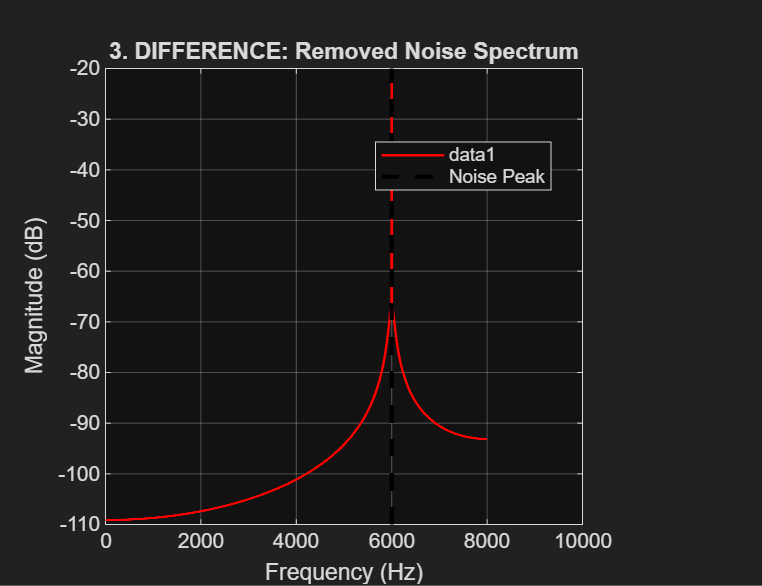
Spectral analysis confirmed the presence of a strong peak at 6000 Hz before filtering. After applying the zero-phase IIR notch filter, the peak at 6 kHz was significantly reduced, confirming successful noise suppression. The difference spectrum effectively isolated the removed noise component.
Conclusion: The digital notch filter effectively removed the 6 kHz interference noise from the audio signal while preserving the important speech components. This experiment demonstrates the effectiveness of frequency-selective digital filtering for improving audio quality.
MATLAB Implementation Code
%% FINAL NOISE REMOVAL: NOTCH FILTER CLEANUP
clear; close all; clc;
fprintf('=== FINAL NOISE REMOVAL: NOTCH FILTER CLEANUP ===\n\n');

%% 1. DEFINE PARAMETERS AND LOAD NOISY DATA
noisy_file = 'amir_with_noise.wav';
NOISE_FREQ = 6000;
[noisy_voice, Fs] = audioread(noisy_file);

%% 2. DESIGN AND APPLY THE SINGLE NOTCH FILTER
Wo = NOISE_FREQ / (Fs/2); % Normalize frequency
Q = 60; % Quality factor
[b, a] = iirnotch(Wo, Wo/Q); % Generate filter coefficients
cleaned_voice = filtfilt(b, a, noisy_voice); % Zero-phase filtering

%% 3. VISUALIZATION AND COMPARISON
N = min(4096, length(noisy_voice));
freqs = Fs*(0:N/2)/N;
difference_signal = noisy_voice - cleaned_voice;

% Calculate the spectrums
Y_noisy = fft(noisy_voice, N);
P_noisy = abs(Y_noisy(1:N/2+1)/N);
Y_cleaned = fft(cleaned_voice, N);
P_cleaned = abs(Y_cleaned(1:N/2+1)/N);
Y_diff = fft(difference_signal, N);
P_diff = abs(Y_diff(1:N/2+1)/N);

% Plot configuration omitted for brevity (Refer to source file for plotting logic)

%% 4. SAVE AND PLAY CLEANED AUDIO
[~, name, ext] = fileparts(noisy_file);
output_file = [name '_CLEANED_FINAL' ext];
audiowrite(output_file, cleaned_voice, Fs);

fprintf('\nSaved cleaned audio as: %s\n', output_file);
soundsc(cleaned_voice, Fs); % Play cleaned audio
Tech Stack
Tags
| Filter Type | IIR Notch Filter |
| Target Noise Frequency | 6000 Hz |
| Quality Factor (Q) | 60 |
| Processing Method | Zero-Phase Filtering (filtfilt) |
| Spectral Analysis | Fast Fourier Transform (FFT) |
| Development Platform | MATLAB |